
Delay
Configure response timing for your Yelp and Thumbtack Auto Responder. Adding a short delay can make automated responses feel more natural, while still keeping you ahead of competitors.
Natural Response Timing: Most customers expect brief delays when messaging businesses. Instant responses may seem automated, while 1-2 minute delays feel more genuine and personal.
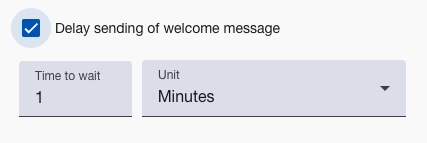
Timing Options
Immediate Response (0 seconds)
Best for: Emergency services, competitive markets, high-volume leads
- You’re the first to respond, which wins more leads
- Shows you’re available right now
- Good for time-sensitive services
Natural Delay (1-2 minutes)
Best for: Most service businesses, professional services
- Feels more like a real person replied
- Still fast enough to beat competitors
- Works well with yelp automatic follow-ups systems
Thoughtful Delay (3-5 minutes)
Best for: AI-powered responses, high-value services
- Gives the impression you read their message carefully
- Good when the AI is writing longer, detailed responses
- Fits higher-end service businesses
Configuration Guidelines
Emergency Services
- Recommended: 0-30 seconds
- Speed matters most — people need help now
Home Improvement Services
- Recommended: 1-2 minutes
- Fast enough to stay competitive, natural enough to feel real
Professional Services
- Recommended: 2-5 minutes
- Matches the expectation that you actually read their message
Testing Your Delay Settings
Optimization Process:
- Start with 1-2 minute delay for most businesses
- Monitor response rates and customer feedback
- A/B test different timings with similar lead types
- Adjust based on industry expectations and competition
Performance Metrics:
- Customer response rates to welcome messages
- Time to phone number collection
- Overall conversion rates
- Customer feedback about response quality
Yelp Chatbot Timing Considerations
Platform Expectations
- Yelp customers typically expect responses within minutes
- Thumbtack leads often compare multiple providers rapidly
- Emergency inquiries require immediate acknowledgment
Competitive Advantage
- First responders typically win 60-80% more leads
- 1-2 minute delays maintain speed advantage while feeling natural
- Longer delays risk losing leads to faster competitors
Getting Started
- Configure welcome message content - Set up your response content
- Set appropriate delay timing - Balance speed with authenticity
- Enable follow-up sequences - Nurture leads after initial contact
- Monitor performance - Track effectiveness and optimize
The right delay makes your yelp AI assistant responses feel natural while still keeping you faster than the competition.
Questions about delay timing? Email support@nzleads.com or use in-app chat for optimization guidance.